For Mac Coming soon
Your clips deserve a real editor.
Clipped Studio takes the moments Clipped finds and gives them the full edit: layouts, captions, effects and sound, rendered on your own Mac and posted in a click.
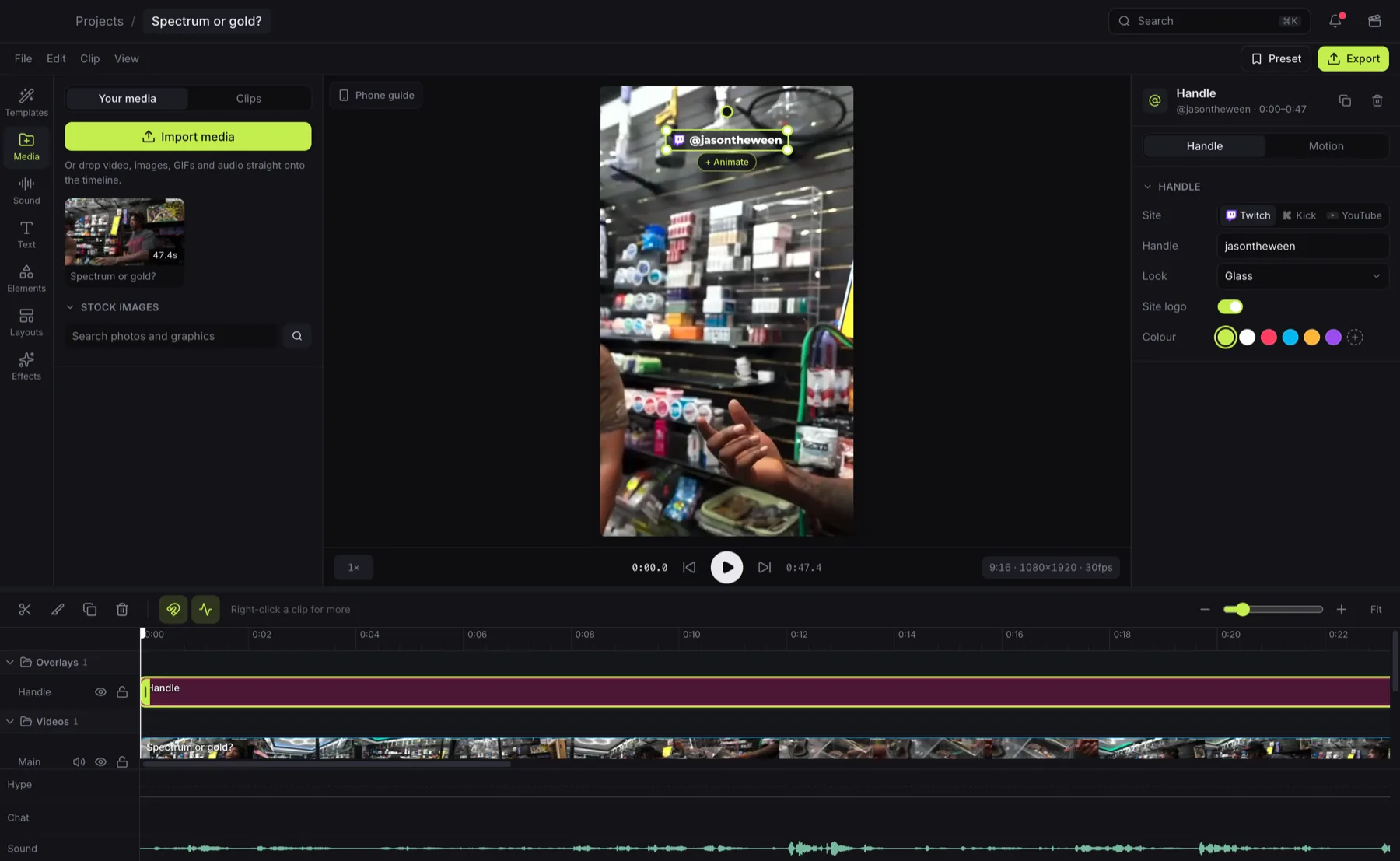
From moment to timeline in seconds
No downloading VODs, no hunting for timestamps, no typing out captions. Studio starts where Clipped leaves off.
This is the cleanest ace I have ever hit in my life…
Edit this clipPick a clip, start editing
Every clip Clipped finds is waiting in Studio, scored and sorted. One click and it's on your timeline, cut straight from the broadcast.
Or bring any video
Paste a YouTube, Twitch or Kick link and Studio finds its best moments for you, right on your Mac.
Captions already written
Clipped heard every word, so your captions are ready the moment the clip is. Pick a style and they pop in time with the voice.
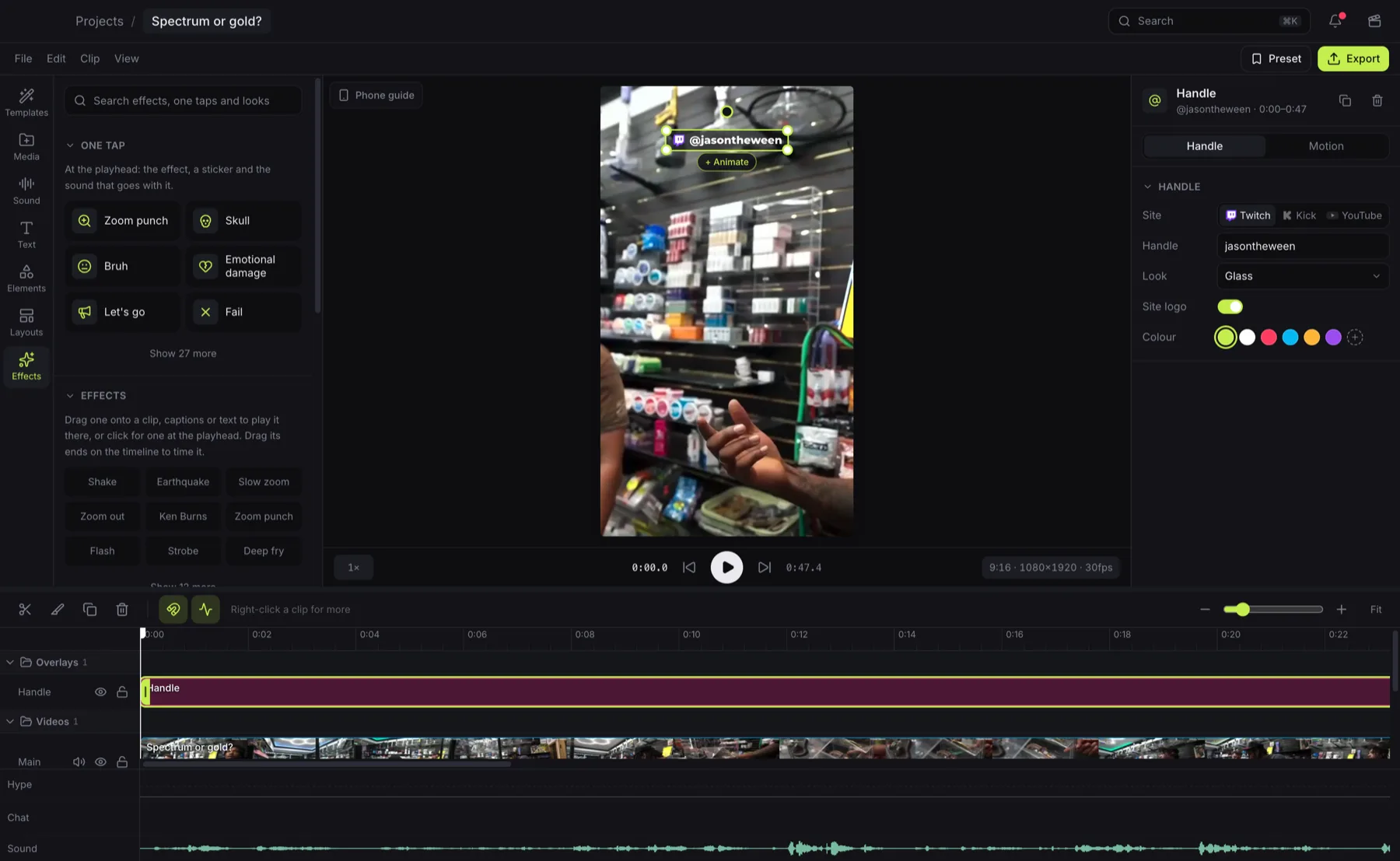
Make it hit
One-tap combos drop the effect, the sticker and the sound together. Snap cuts to the beat, add music that's cleared for posting, and frame it with Clipped's own layouts.
Your Mac does the heavy lifting
No render queue
Exports render on your Mac's own hardware encoder, the second you hit Export.
AI effects on device
Cut out the background, blur a face, or keep the streamer centred as you reframe, all on your Mac.
What you see is what you get
The export matches the preview frame for frame, so there are no surprises after you post.
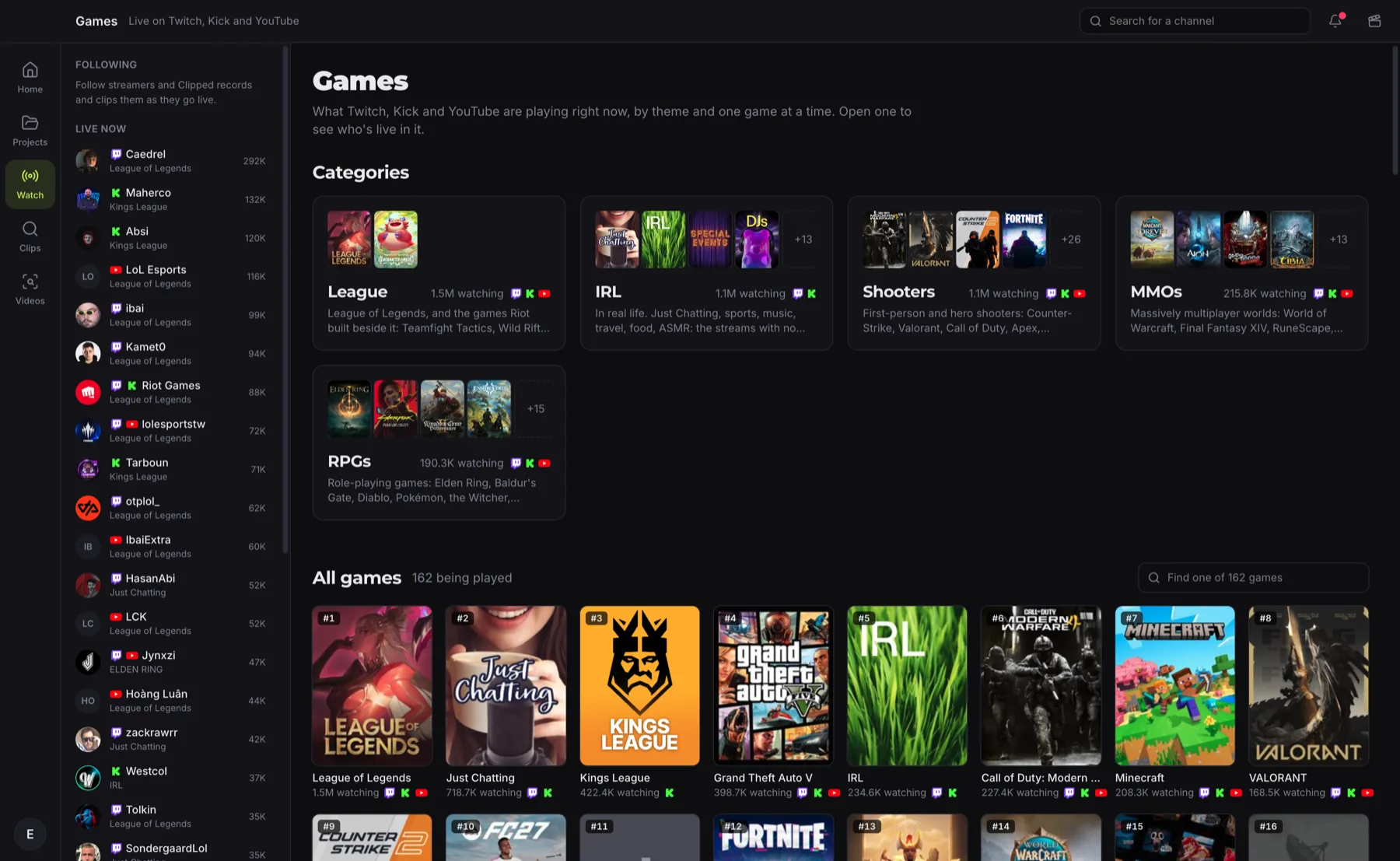
Everything live, one click away
Watch shows what's live on Twitch, Kick and YouTube, with Clipped's hype, chat and transcript beside the stream. New clips land in the rail as Clipped finds them, ready to edit before the stream ends.
Make the clip.
Free when it's out. Sign in with the account you clip with.