Let Clipped watch. You make the clip.
Clipped sits through every stream so you don't have to, and hands you the moments worth posting while they're still live. Clipped Studio turns the best of them into edits worth watching, right on your Mac.
Clipped does the watching
No more scrubbing four-hour VODs for the twenty seconds that matter. Clipped catches them as they happen.
It hears what you'd hear
Every chat message, every word the streamer says, every scream. Clipped follows all of it at once, on Twitch, Kick and YouTube.
It knows when it's big
Clipped learns what normal looks like for each streamer, so a quiet streamer's big moment counts as much as a loud one's. When chat and the stream spike together, that's a clip.
It cuts it like an editor
Clips start where the story starts and end after the punchline, never mid-sentence. Trim it, add captions, and post it to your channels, or let Clipped post the best ones for you.
Clipped Studio does the rest
When a clip deserves more than a trim, open it in Studio: a full editor built around the moments Clipped finds.
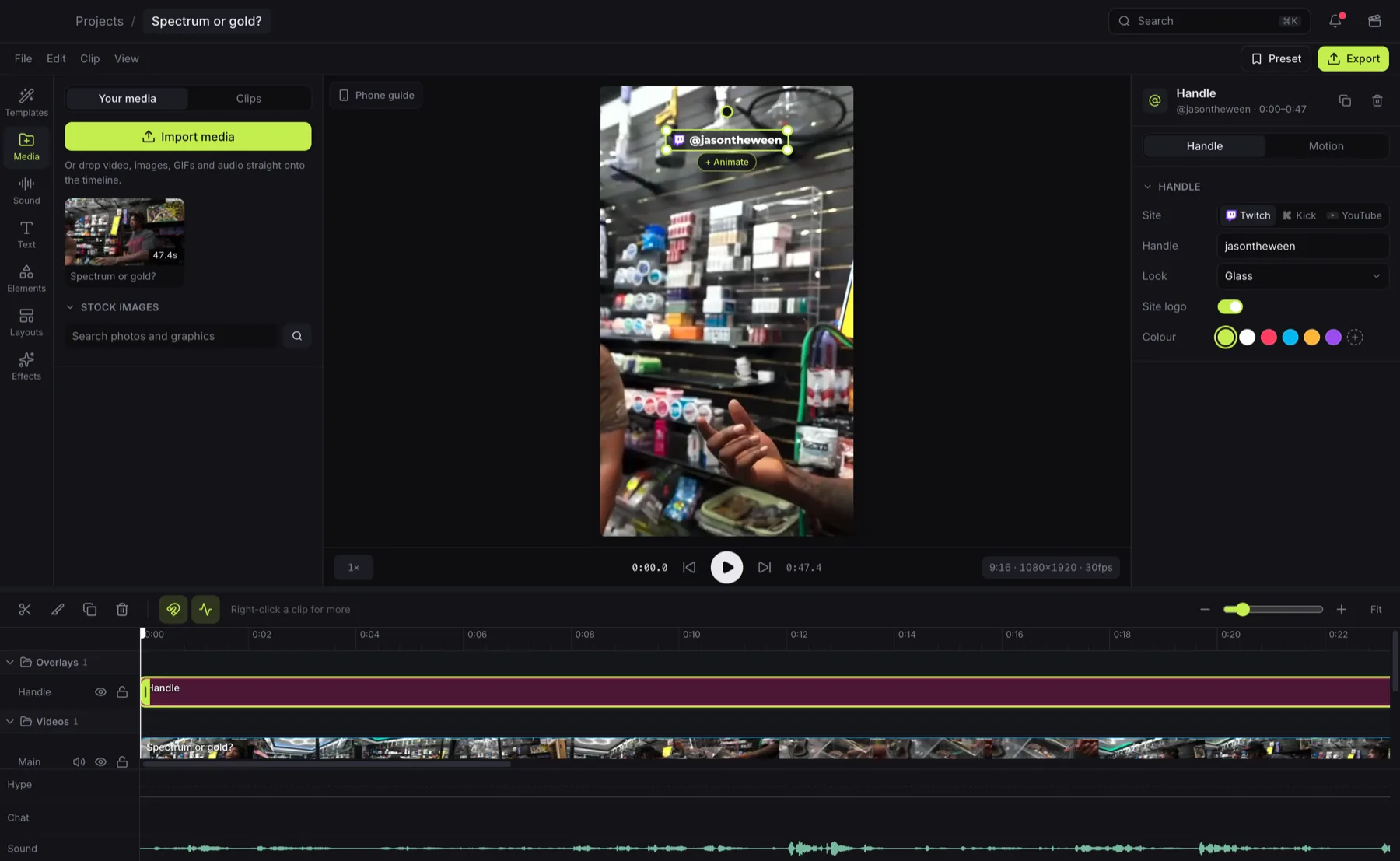
Any moment in seconds
Pick a clip and it's on your timeline, cut straight from the broadcast, with the stream's own words ready as captions.
Bring any video
Paste a YouTube, Twitch or Kick link and Studio finds its best moments for you, on your Mac.
Edits that hit
Layouts, keyframes, one-tap combos, 80 sound effects and beats to cut to. Cut out the background or blur a face in a click.
No render queue
Your Mac renders it, and what you export looks exactly like what you edited. Then post it through Clipped.
One account, start to post
Clipped online and Studio share your account, your streamers and your clips. Use one, or let each do what it's best at.
Follow your streamers
Pick the channels you clip. Clipped records them whenever they're live.
Clipped onlineGet the moments
Scored, cut and captioned while the stream is still on.
Clipped onlineMake it yours
Post the quick ones straight away. Open the best in Studio and give them the full edit.
Online or StudioPost everywhere
YouTube, TikTok, Instagram and Twitch, from the accounts you've connected.
Through ClippedStop scrubbing VODs.
Find a channel and Clipped starts watching. The clips show up while the stream is still live.